QR Barcode Code Generator: Create Free QR Codes for Links, Wi-Fi, Forms & More
Use a free QR barcode code generator to make scannable QR codes for links, Wi-Fi, text and more. No signup, no watermark. Download PNG or SVG.
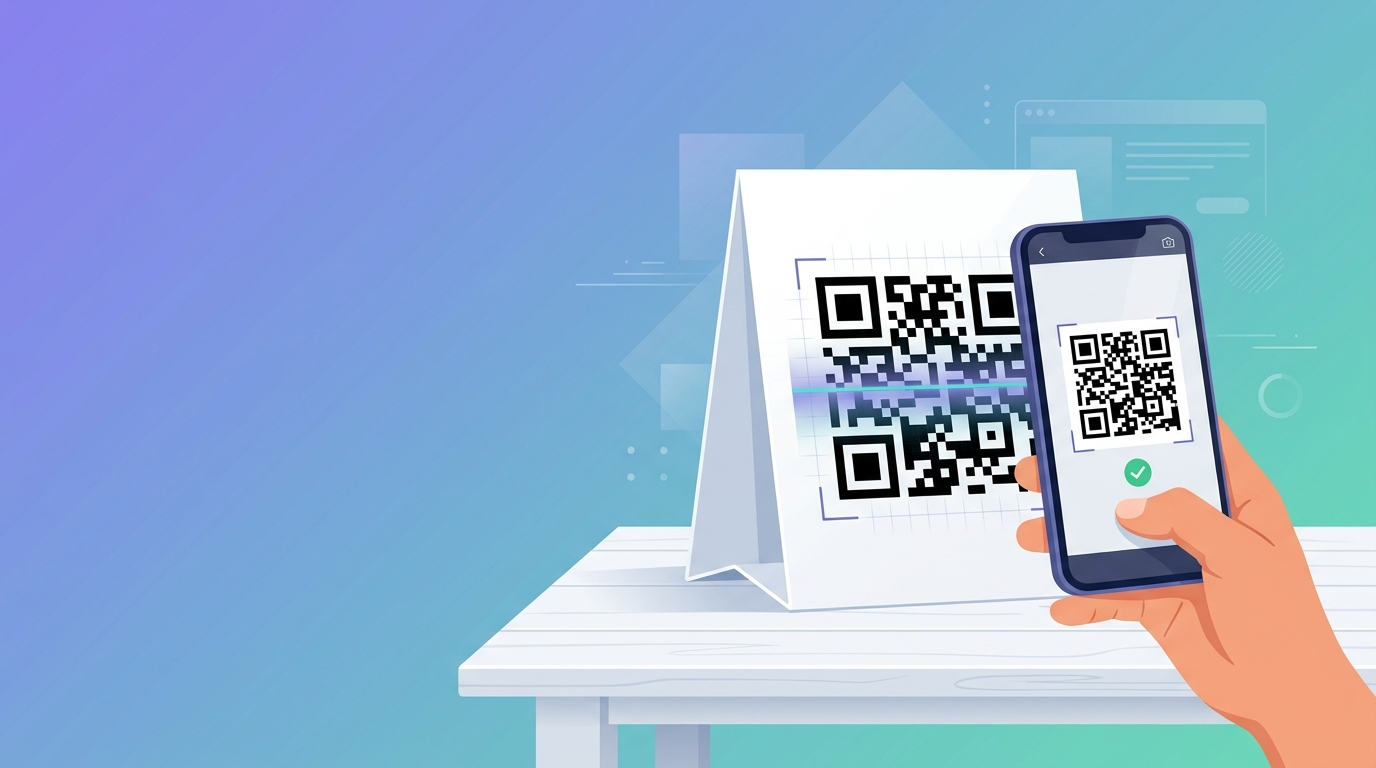
A QR code is a small square that lets anyone open a link, join Wi-Fi, or save a contact in one scan. With a QR barcode code generator, you can make one in under a minute, with no design skills and no account.
This guide shows you how to generate a QR code, which type to choose, and how to print it so it actually scans. You will also find step-by-step instructions for the most common uses: Wi-Fi, Google Forms, business cards, and Facebook pages.
What is a QR barcode code generator?
A QR barcode code generator is a tool that converts text, such as a URL, a Wi-Fi login, or contact details, into a QR code image you can download and print. "QR barcode" is a common way people search for it. Technically, a QR code is a two-dimensional (2D) barcode, invented in 1994 by Denso Wave, that stores data in both directions instead of just left to right.
That is the main difference from the striped barcodes on supermarket products, which are one-dimensional. We compare the two in the table below:
| Feature | QR code (2D) | Traditional barcode (1D, e.g. EAN-13, UPC-A) |
|---|---|---|
| Looks like | Square matrix pattern of dark/light modules | Parallel vertical lines with numeric text |
| Stores | URLs, text, Wi-Fi keys, vCards, emails, phone numbers | Usually a short numeric string or inventory ID |
| Scanned by | Any modern smartphone camera | Dedicated optical laser scanner or barcode app |
| Error correction | Yes — readable even if up to 30% damaged | Very limited single-digit checksum |
| Best for | Marketing, sharing, digital menus, forms, Wi-Fi | Retail checkout, warehouse inventory, logistics |
Selling physical products? Retail barcodes need numbers issued through GS1 so they stay globally unique. A free browser generator is fine for QR codes and internal asset labels, but not a substitute for GS1-registered product numbers.
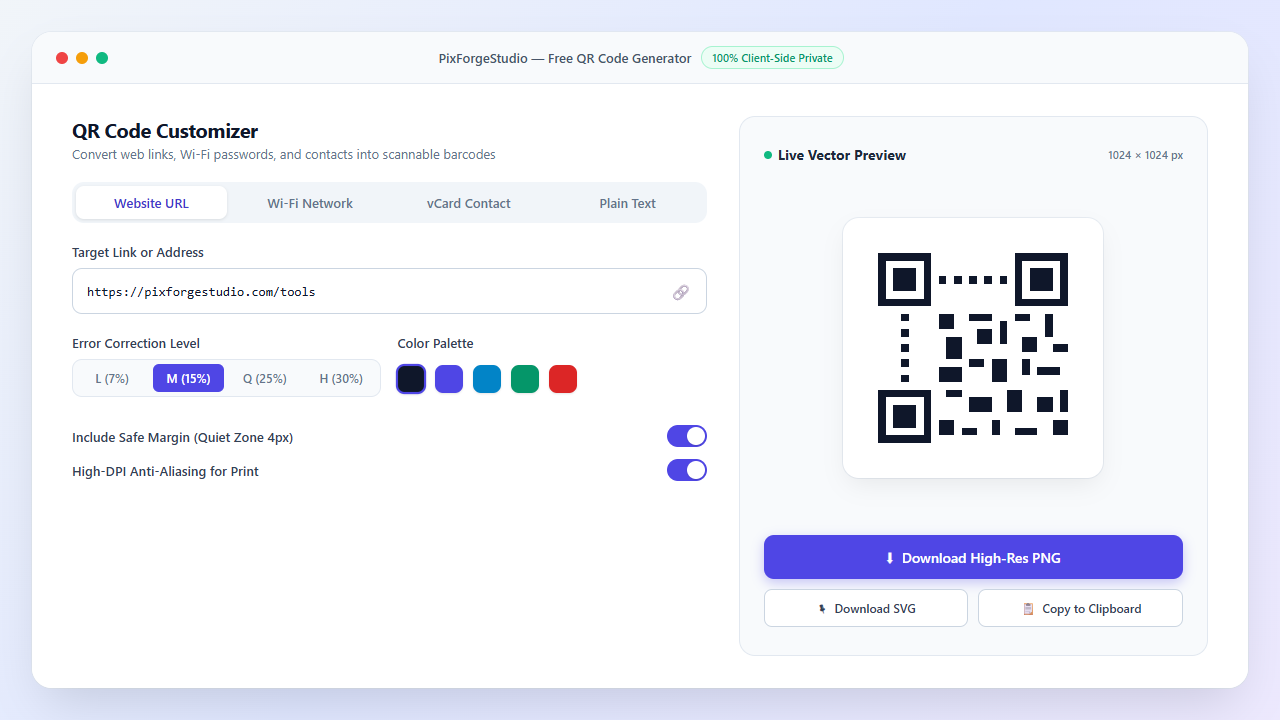
How to use the QR barcode code generator (5 steps)
Choose Content Type
Select URL, plain text, Wi-Fi, email, phone, or vCard contact card.
Enter Your Data
Paste your link (including https://) or Wi-Fi credentials.
Pick Error Correction
Choose level M (15%) for everyday links, or Q/H if printing on rough surfaces.
Customize Colors
Ensure high contrast (dark pattern on light background) for effortless scanning.
Download PNG or SVG
Download PNG for web pages and documents, or vector SVG for large high-resolution posters and billboards.
Which type of QR code should you choose?
Different goals need different payloads. Match your use case in the table below:
| QR Code Type | Action When Scanned | Best For | Key Tip |
|---|---|---|---|
| URL / Website | Opens the specified web page | Flyers, packaging, posters, table tents | Use a short, clean URL to keep code modules sparse |
| Wi-Fi Network | Prompts to join wireless network | Cafés, Airbnbs, offices, events | Match exact SSID capitalization and security type |
| Plain Text | Displays text directly on screen | Serial numbers, notes, promo voucher codes | Keep characters minimal to maintain rapid scanning |
| Opens email client with pre-filled address | Customer support, RSVP feedback | Include a pre-populated subject line | |
| Phone / SMS | Initiates a phone call or pre-typed SMS | Local services, emergency contacts | Always include the full international country code |
| vCard (Contact) | Saves contact directly into address book | Business cards, conference badges | Fewer fields mean a simpler, easier-to-scan code |
Static vs. Dynamic QR Codes
| Feature | Static QR Code | Dynamic QR Code |
|---|---|---|
| Data Storage | Encoded directly into the pattern | A redirect link routed through a third-party server |
| Editable After Printing? | No | Yes |
| Cost | 100% Free, never expires | Monthly/annual subscription fees |
| Privacy & Uptime | Direct connection, zero middleman tracking | Third-party service tracks every scan and can go down |
A browser-based generator like PixForgeStudio creates permanent static codes. They never expire and can never be shut down by an expired subscription.
Step-by-Step Instructions for Top Use Cases
How to make a QR code for Wi-Fi
Guests will not have to type complex wireless passwords. In the generator, select Wi-Fi and enter:
- Network name (SSID), exactly as it appears, including uppercase/lowercase letters
- Network password
- Security type (usually WPA/WPA2)
Security tip: The password string is stored in readable text within the QR code (WIFI:T:WPA;S:MySSID;P:Pass;;). We recommend creating QR codes for your dedicated guest network rather than your private administrative router network.
How to make a QR code for a Google Form
- Open your Google Form in Google Drive and click the purple Send button.
- Click the link tab (chain icon) and copy the responder URL (you can optionally check "Shorten URL").
- Paste that link into the URL field of our QR generator.
- Download the generated PNG or SVG and insert it into your presentation slide, event poster, or handout.
Before printing 500 copies, always test-scan the code with your phone camera to verify that form permissions allow public responses.
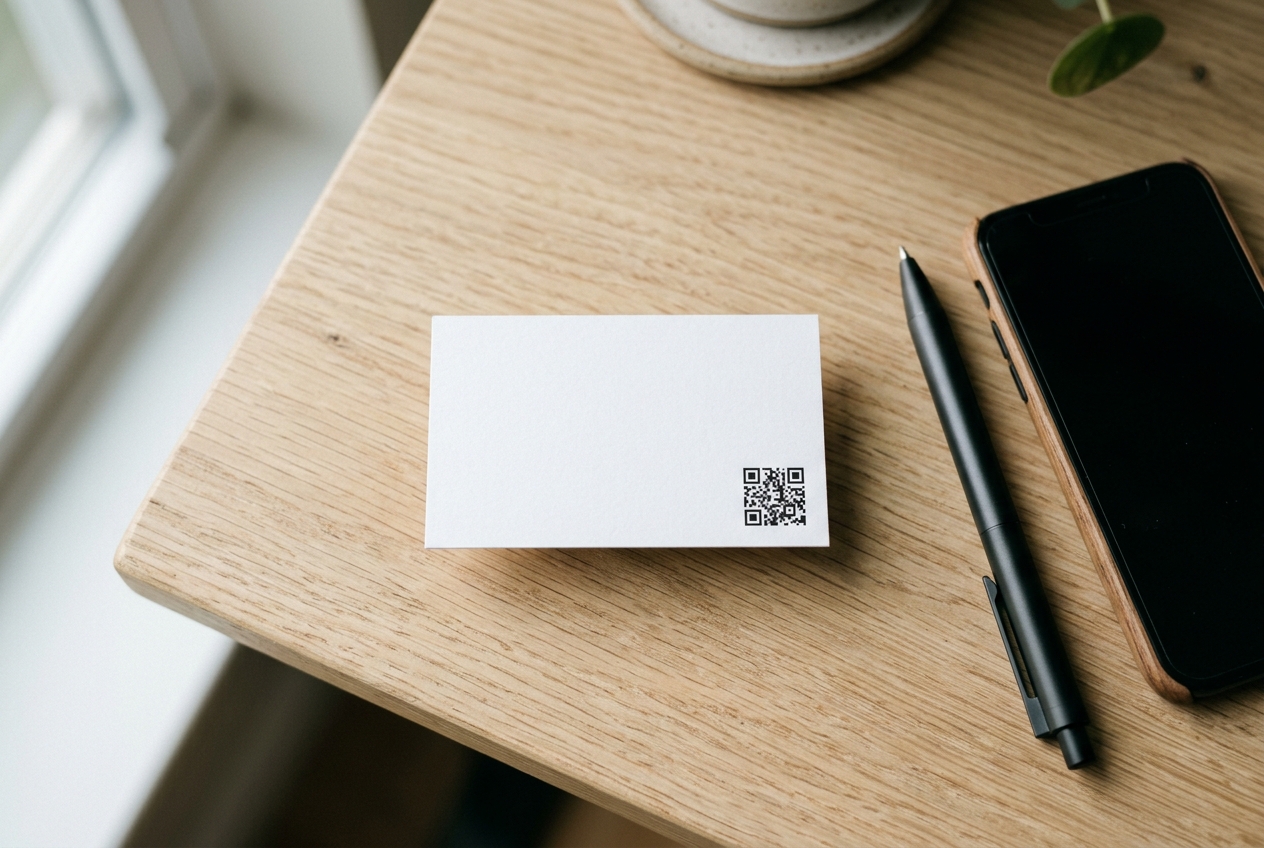
How to make a QR code for a business card
Two options work exceptionally well for networking cards:
- Link to your portfolio or LinkedIn: Clean URLs keep the QR pattern simple and easy to scan from distance. This is the recommended choice for 90% of professionals.
- vCard contact: Directly creates a new contact entry on the user's phone. Keep fields minimal (Name, Phone, Email) so the matrix stays clean.
Print the QR code at a minimum size of 2 × 2 cm (0.8 × 0.8 inches) with clean white margin around the edges.
How to make a QR code for a Facebook page
- Open your business Facebook page in a browser and copy the canonical page URL.
- Paste it directly into the generator's URL input field.
- Download the QR code image and display it on storefront windows, paper receipts, or takeaway menus.
How to make a QR code that scans every time
Over 95% of scanning failures are print or design mistakes. Follow these golden rules:
Do This
- •Dark pattern on a light background (classic black on white is safest).
- •Leave a clear "quiet zone" (blank margin) roughly 4 modules wide.
- •Print at least 2 × 2 cm; larger if scanned from a distance.
- •Test with at least two different smartphone cameras before mass printing.
Avoid This
- •Inverted colors (light QR pattern on dark background often fails).
- •Text or borders touching or crowding the code perimeter.
- •Printing tiny codes on curved bottles or heavily reflective gloss materials.
- •Distorting, stretching, or compressing aspect ratios.
Error Correction Levels: QR codes feature Reed-Solomon error correction that restores damaged patterns: L (7%), M (15%), Q (25%), and H (30%). Higher levels allow logos or withstand scratches, but make the dot matrix denser.
Distance Rule of Thumb: Optimal scanning distance is approximately 10 times the width of the printed code. A 10 cm wide code is easily scanned from about 1 meter away.
PNG or SVG: which format should you download?
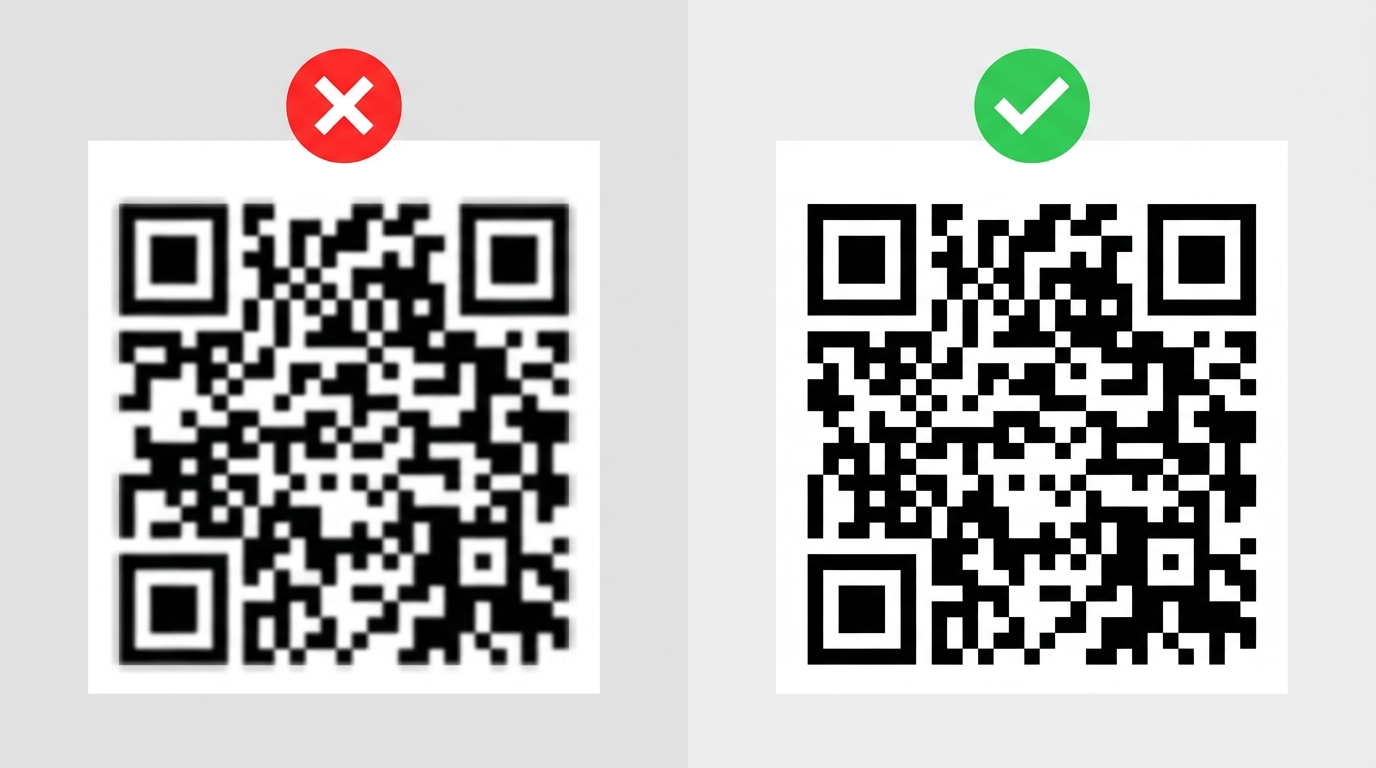
- PNG: Ideal for digital screens, email signatures, Word documents, PowerPoint slides, and web pages.
- SVG: Best for professional printing, large banners, decals, merchandise, and vehicle wraps because vector paths scale infinitely without pixelation.
Need a different file type? Use our image to PNG converter or combine your printed assets with our image to PDF converter.
Frequently asked questions
Is a QR barcode the same as a barcode?
Not exactly. A QR code is a 2D matrix barcode that holds significantly more data and is scanned using standard smartphone cameras. Traditional 1D barcodes hold short numeric sequences and are mostly utilized in retail cashier inventory.
Is this QR code generator really free?
Yes. You can generate, customize, and download unlimited high-resolution codes without creating an account or paying fees. There are zero watermarks.
Do QR codes expire?
Static QR codes created with PixForgeStudio never expire because the data is encoded directly into the pixel pattern. As long as your destination link remains online, the code will scan forever.
Can I add a logo to my QR code?
Yes. When embedding a center logo, select error correction level Q (25%) or H (30%) and ensure the logo occupies less than 20% of the overall code footprint. Always test-scan before printing.
Why won't my QR code scan?
Common causes include low color contrast, insufficient quiet margin around the code, printed size being too small, or encoding too long of a URL. Shortening your link and choosing SVG for printing resolves most issues.
Can I use a QR code for commercial print?
Yes. Download the vector SVG version, scale it to your layout requirements, and conduct a physical test scan on proof paper before running your final print batch.
Create your QR code now
Whether you need a QR code for Wi-Fi, a Google Form, a business card, or your Facebook page, the process is instantaneous: enter your details, customize the look, and download.
Explore All 140+ Free Tools
PixForgeStudio offers 140+ free browser-based tools: PDF editor & viewer, image compressor, video trimmer, audio transcriber, converters, and calculators. 100% private — zero file uploads.
Browse All Tools